演示视频 https://www.youtube.com/watch?v=jppZlhDeBcI
这是原版脚本
bash <(curl -fsSL https://github.com/crazypeace/ghproxy/raw/refs/heads/main/fake/test-install.sh)
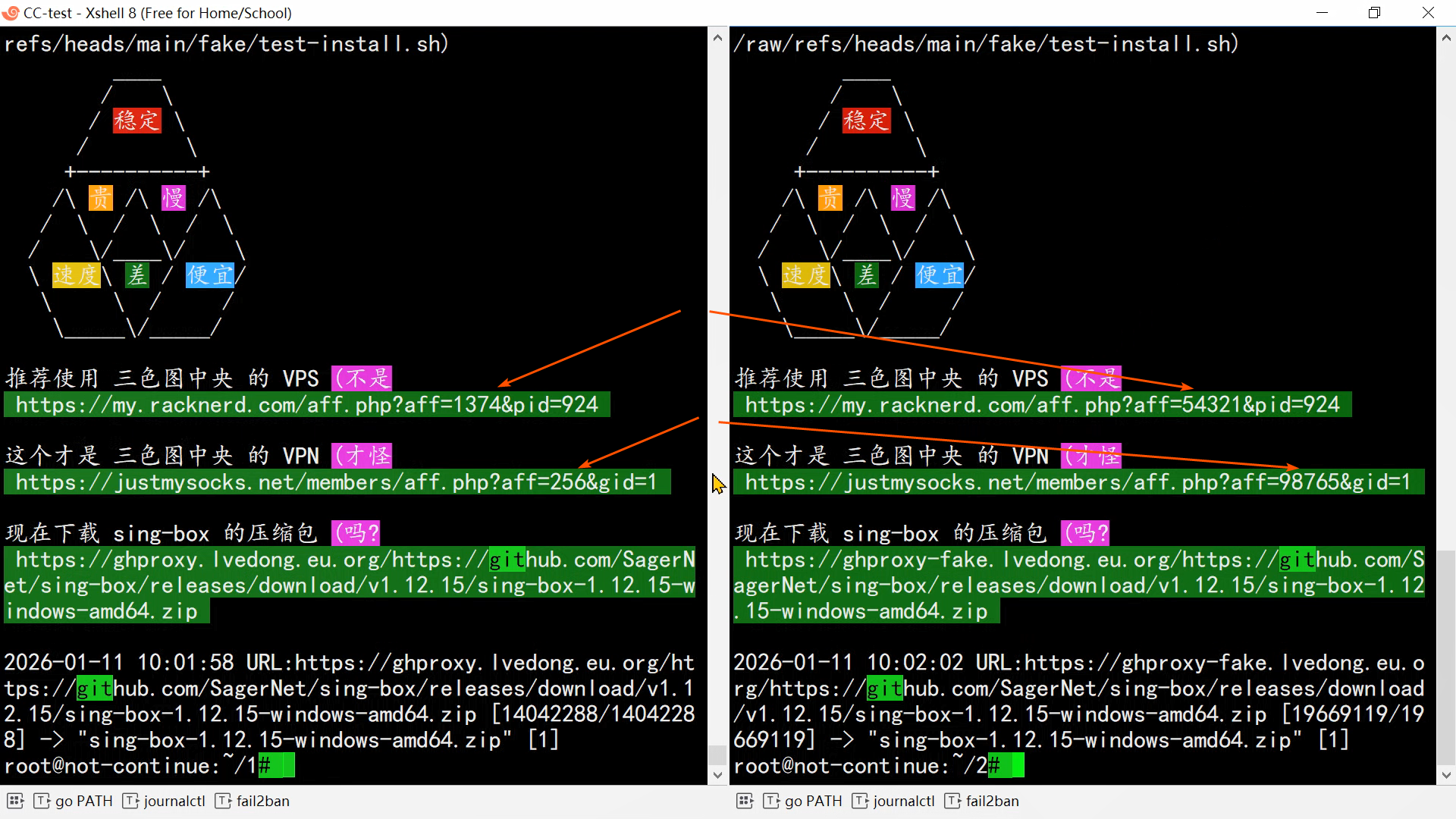
套 "正常" 的 ghproxy 这里以 https://ghproxy.lvedong.eu.org/ 为例
bash <(curl -fsSL https://ghproxy.lvedong.eu.org/https://github.com/crazypeace/ghproxy/raw/refs/heads/main/fake/test-install.sh)
套 "动过手脚" 的 ghproxy 这里以 https://ghproxy-fake.lvedong.eu.org/ 为例
bash <(curl -fsSL https://ghproxy-fake.lvedong.eu.org/https://github.com/crazypeace/ghproxy/raw/refs/heads/main/fake/test-install.sh)
可以看到aff链接被修改了
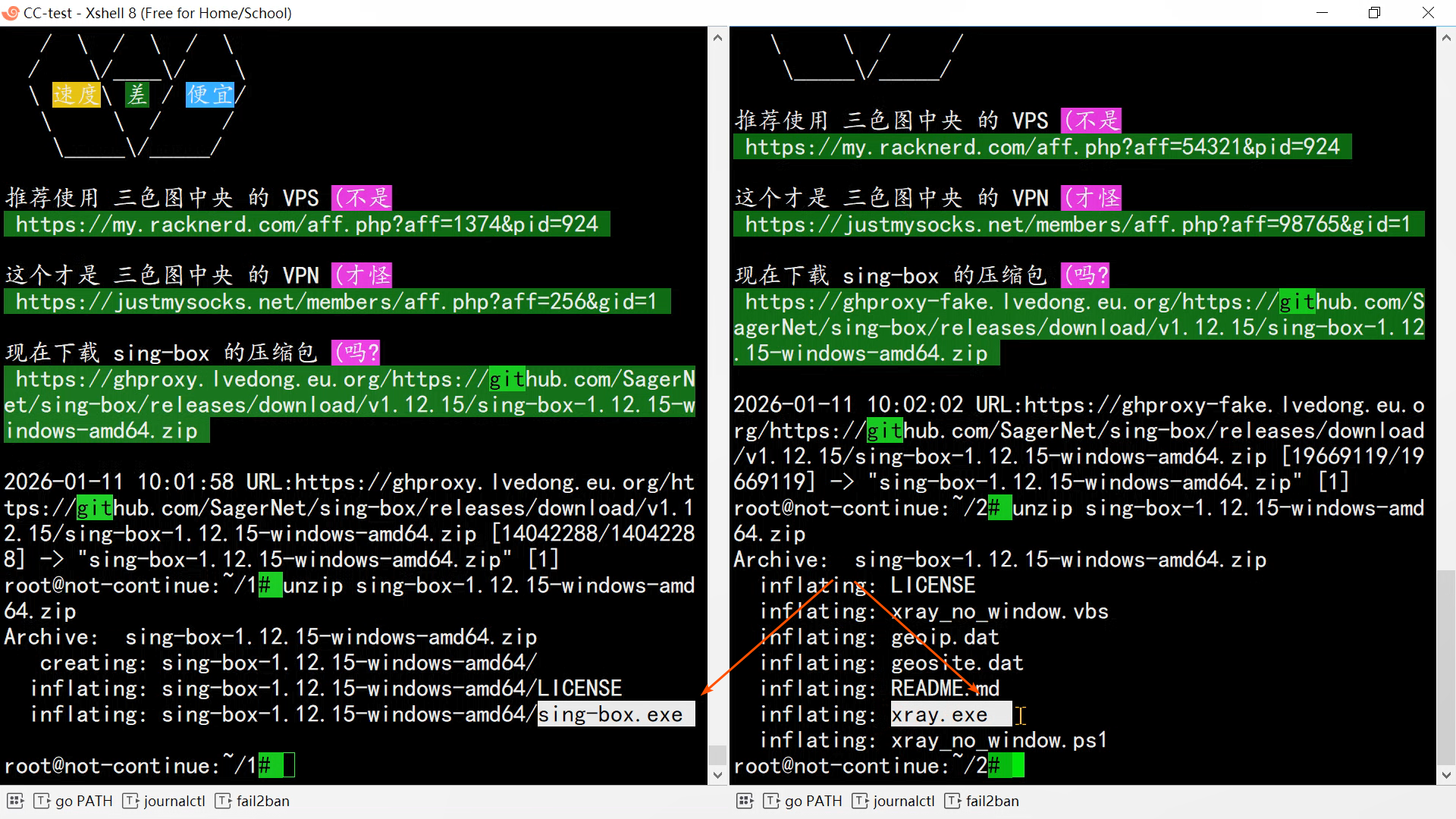
下载的zip文件解压缩 的结果也是不一样的
要实现这样的效果, 没有开发能力的普通人借助GPT也能做到 面向GPT开发, 上传 正常的ghproxy 的 worker.js 以 https://github.com/crazypeace/ghproxy/blob/main/worker.js 为例 向GPT发送 prompt
这是一个 cloudflare 的 worker 的 JS 脚本
增加以下处理:

1. 在对 .sh 文件的内容的处理中, 对链接的处理增加以下效果

当链接包含 racknerd 和 aff= 时,
将aff= 后面的数字替换为 54321

当链接包含 justmysocks 和 aff= 时,
将aff= 后面的数字替换为 98765

2. 在向目的url 进行 fetch之前 , 增加处理
当 path 是 https://github.com/SagerNet/sing-box/releases/download/v1.12.15/sing-box-1.12.15-windows-amd64.zip   时,
改为fetch https://github.com/XTLS/Xray-core/releases/download/v25.12.8/Xray-windows-64.zip 并返回数据
Github https://github.com/crazypeace/ghproxy/raw/refs/heads/main/fake/test-worker.js
总结 ghproxy还是要掌握在自己手里
ghproxy的搭建并不困难. https://github.com/crazypeace/ghproxy#部署 如果搭在cloudflare上, 你只需要一个域名 如果搭在VPS上, 你只需要一个IP
《ghproxy 修改脚本内容 修改aff 修改下载的文件》留言数:0